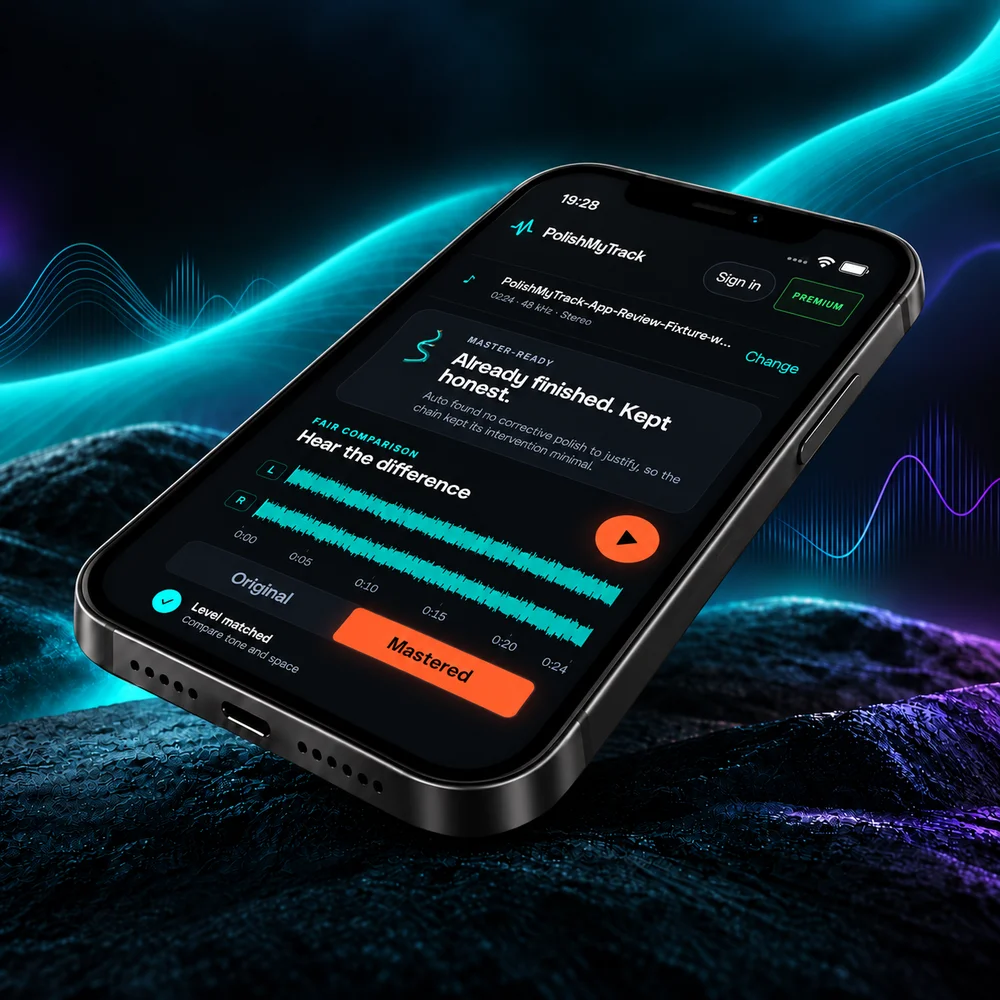
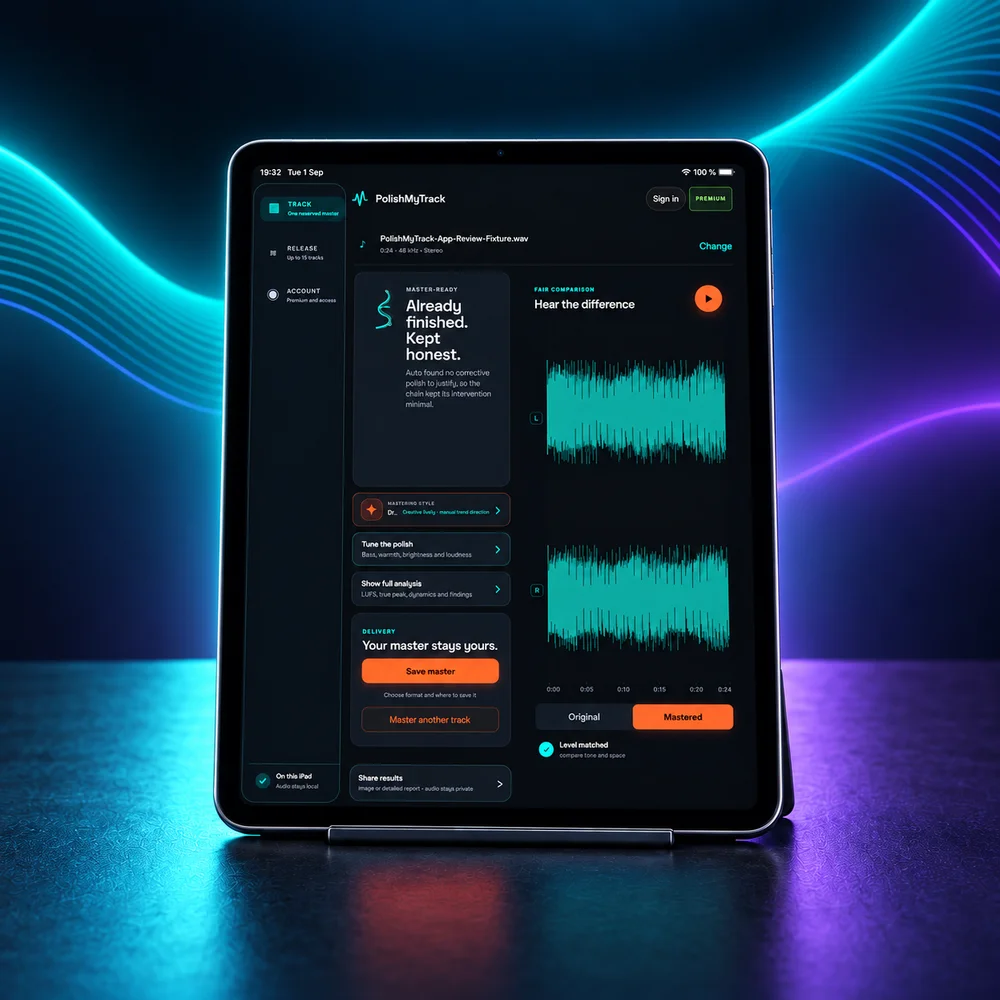
Start with one track, compare your master and save the result. These guides explain the controls, export options and release workflow.
From mix to master
How it works
Choose what you want to do to see the steps.
Master one track
Scan your track, review the suggested settings, then master and compare it. Audio stays on this device.
01Add your trackWAV · MP3 · OGG · M4A · FLAC
02Scan locallyTone · dynamics · loudness · peaks
03Read the reportSee what will change and why
04MasterApply the selected settings
05Compare fairlyRelease level · then Level matched
06Tag & deliverWAV free · more with Premium
Noise reduction · Free comparison · Web
Try noise reduction before mastering
Compare spectral noise reduction on a whole WAV for free. Premium unlocks downloads and using the result before mastering. Everything runs on your device.
Before the mastering chain
Open a WAV in the desk and choose Try noise reduction. Start with Gentle cleanup, or try Steady hiss for persistent broadband noise. Choose a maximum reduction, then Reduce noise & compare to hear the full recording. The maximum is a limit for individual frequency bins; the measured change will vary across the song. The desk keeps using your original until you choose Use for mastering. It then measures that version for its mastering decisions. Each remaster starts from the same chosen input; noise reduction is not applied again.
Compare the music, too
Switch between Original, Noise reduced and Removed signal at the same position. Match listening levels. The removed signal can include reverb, cymbals and other wanted music. A rough-sounding residual does not prove that everything in it should be removed. If the space or attack suffers, reduce the strength or keep the original.
Choose your next step
With Premium, download the noise-reduced WAV directly, or choose Continue to mastering (Use for mastering inside the desk). You do not need to save and reopen a file first. You can always choose Keep original. Mastering remains a separate action and is never required for a download.
The three spectrum curves show the original in dashed grey, the reduced version in cyan, and their difference in amber. Separate signals gives each curve its own panel on the same level scale; Overlay combines them. Inspect a frequency to read the levels and reduction in dB. These measure change, not sound quality. Start with an unmastered source when available: processing before the final mastering pass lets that pass measure and handle the changed signal.
Mono or stereo WAV, 8–192 kHz; up to 256 MiB per file and 128 MiB decoded audio. Downloads are 24-bit PCM at the source sample rate with the same channels and duration. No EQ, compression, limiting or normalization is added by this step. Not automatic in Release Queue or Pocket Master. Save your work before closing the tab.
Build, master and review up to 20 tracks on the web, or 15 in Pocket Master. Choose a release-wide mastering direction, override individual tracks where needed, and process one track at a time on your device.
On the homepage, choose Open batch mastering beside the free track button, or below it on a narrow screen. Free users see Premium options; active Premium opens Release Queue directly.
Review before delivery
Listen to each original and master at release level or matched loudness. Failed or cancelled processing keeps completed work available in the current session.
Prepare the whole release
Edit shared artist, album and date, keeping individual titles. On the web, choose Prepare ZIP, wait until it is ready, then Save ZIP to download every master and the Master Report. Changing metadata or format rebuilds the affected files first. Pocket Master uses its native share sheet.
Keep your release open
Large web releases use your browser’s private local file storage when available; audio is never uploaded. You need free local storage for the masters and ZIP. Download your files before reloading, closing the tab or starting another release. Browsers without writable local file storage keep a 256 MiB release limit; the ZIP must stay below 4 GB.
Download your song from the generator, then open the audio file here. PolishMyTrack measures and processes that file on your device. You do not need to connect your generator account.
Suno
Udio
Google Lyria
Eleven Music
ACE-Step
YuE
MusicGen
Stable Audio
Any exported mix
Does every AI track need mastering?
No. An exported song may already have the level and sound you want. Run the free scan, read the proposed settings and listen before deciding to process it.
What can the master improve?
Mastering can adjust tone, dynamics, stereo width and loudness, and address some clipped peaks. What helps depends on the recording. Compare the result with the original at matched loudness.
What does it not claim to fix?
It cannot rewrite a vocal, fix the arrangement or replace a wrong note. The scan also cannot identify a generator from sound alone; it reports a generator name only when it finds one in the file’s metadata.
Export options
What you get back
Separate delivery versions
With Premium, render Spotify, Apple, YouTube and club versions using the app’s delivery targets. Each version runs through the mastering chain and includes its own measurements.
Choose your file format
Use WAV or FLAC when you need lossless audio. Premium also includes MP3, AAC and Opus for smaller listening copies. Check your distributor’s format requirements before submitting.
Metadata you control
Premium writes title, artist, album and date into supported files. Every tier removes a detected generator stamp from the new export and tells you what changed. Inspect your metadata with Premium
Read the processing report
The report lists the processing steps and their reasons. Suggested settings are visible on the free tier, so you can see what Auto proposes before running the master.
Inside the engine
The measurements behind the decisions
How our tests shaped the engine, plus practical explanations of loudness, true peak and file metadata.
Lifetime Launch price$39.99onceOne payment · web + iOS
Prices shown in USD. Checkout may display your local currency.
Everything in Free
Noise-reduced WAV downloads & mastering input · web
Creative mastering families on the full desk
Take any control off automation
Master up to 20 tracks with one release report
Every export format, targeted per platform
One ZIP with every master and the report
Save and recall your own desk setups
Scanning, automatic mastering and a 16-bit WAV download are free. Premium adds the full desk and more delivery options.
Questions
Which AI music generators work with PolishMyTrack?
Start with an exported audio file. PolishMyTrack accepts WAV, MP3, OGG, M4A and FLAC where your browser supports decoding them. It does not need access to your generator account.
How do I master an AI-generated track?
Export the highest-quality file available, drop it here, read the report, then press Master. Listen at the master’s export level, then turn on Level matched to compare tone and dynamics before downloading the WAV.
Do you upload my music?
No. Your browser reads and processes the audio on your device. Account and payment requests are separate; they do not send your recording.
How do I save a large release?
The web queue accepts up to 20 tracks and processes one at a time. Finished masters use temporary private local storage when available. Edit the format and metadata, choose Prepare ZIP, wait until it is ready, then choose Save ZIP. Keep free local space for the masters and package; one ZIP must stay below 4 GB. Without writable local file storage, the release limit is 256 MiB. Save before reloading, closing the tab or starting another release. Pocket Master supports up to 15 tracks and uses its native share sheet.
Can you really tell if a track is AI-generated?
The scan can report a generator name found in the file’s tags. That is a metadata declaration, not independent proof of authorship. Clipping, spectral lines and frequency cutoffs alone cannot establish whether a track is AI-generated.
Will mastering make my AI track sound human?
It can adjust tone, dynamics, stereo width and loudness. If a voice sounds unnatural or a part is played incorrectly, mastering cannot replace that performance.
What loudness should I aim for?
Auto suggests a starting level from the scan and pairs it with a true-peak ceiling. Listen to the result at matched loudness: if the drums lose impact or the vocal sounds strained, try a lower target.
Can I use the masters commercially?
PolishMyTrack allows commercial use of your masters. You still need the rights to the source music, including any samples and material from a generator. Mastering does not change those rights.
PolishMyTrack · iPhone & iPad
Master on your iPhone or iPad.
Open a track from Files, adjust the master and compare it with the original. Processing runs on your iPhone or iPad, without uploading the audio.