Master a Suno or Udio song before release
You have an exported song and want to release it. Start by checking the file you have: its loudness, peaks and any audible problems. The generator’s name tells you very little about how much mastering it needs.
Our four direct Suno WAVs contained no detected clipped runs, reached 17.4–20 kHz and had peak headroom. They did not support our initial assumption that generated songs would arrive obviously damaged. For these files, the main opportunity was to adjust delivery level.
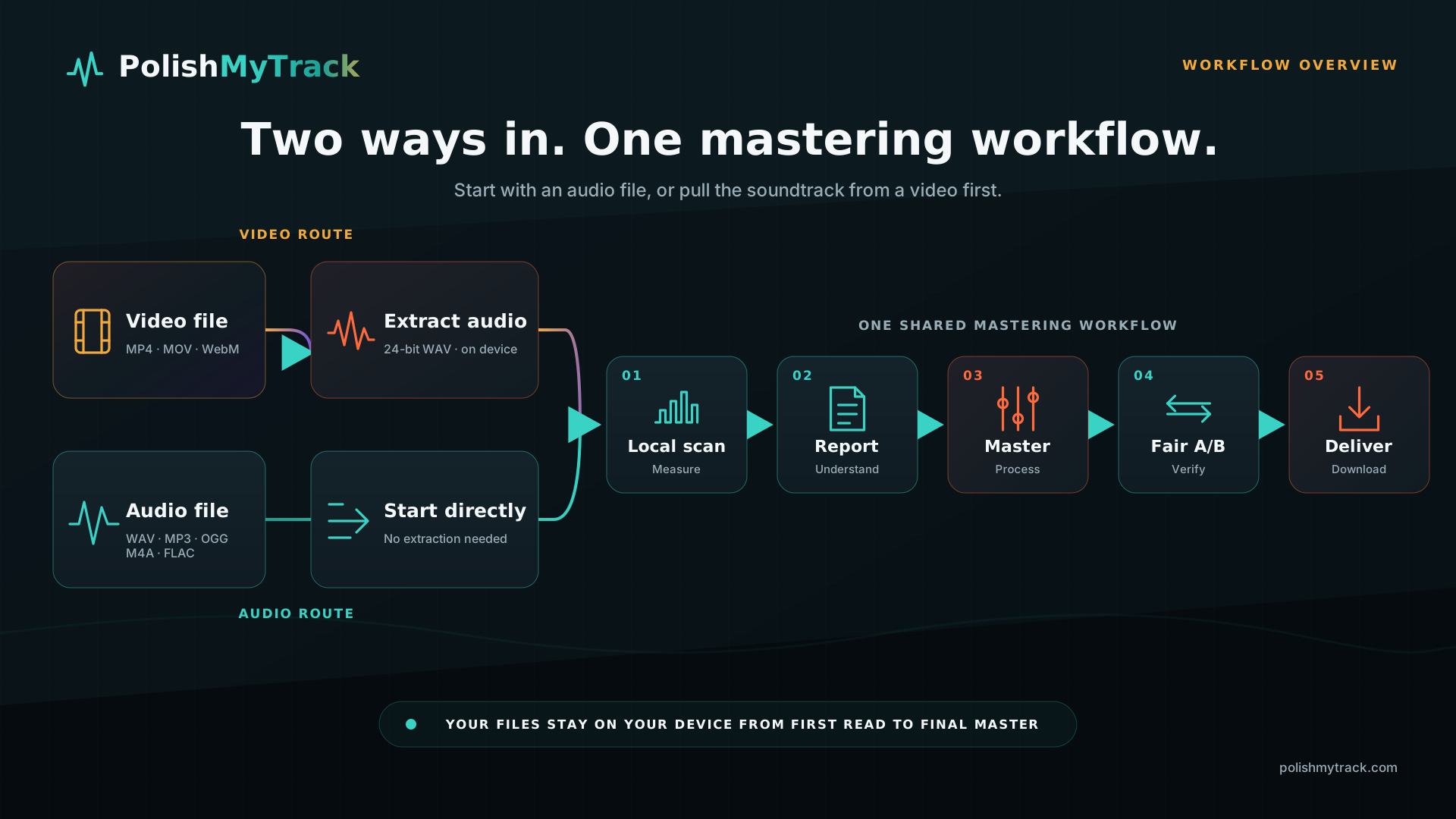
Choose your source file
Download the highest-quality version your Suno plan offers. Suno’s WAV help page says WAV downloads require Pro or Premier on the website; mobile downloads default to MP3. Check the download options in your Library or Workspace, since availability can change. These help pages were checked on 22 October 2026.
If your only copy is in a video you created, you can extract its audio locally. If you have both WAV and MP3, start with WAV. Converting an MP3 to WAV later cannot recover information the MP3 encode removed.
Check the scan before choosing settings
The four Suno files measured −14.1 to −13.3 LUFS and −4.0 to −2.5 dBTP. Our eleven purchased human masters measured −11.4 to −7.3 LUFS and −1.6 to +1.7 dBTP. That comparison suggested there was room to change the Suno files’ delivery level. It did not tell us to match the loudest reference or apply the same EQ to every song.
One early sibilance trigger fired on all four Suno tracks and nine of eleven human masters. Narrow resonances appeared in one Suno file and five human masters. Because the groups overlapped, those measurements could not identify AI origin or justify generic de-essing. A file tag naming Suno is a declared source; a bright cymbal is not.
Preparing a new Suno download? Read Suno Credentials: C2PA, metadata and what stays with your master for the difference between a provenance check and an audio measurement.
Work through the track
- Export the full mix at the highest available quality. Keep the original untouched.
- Scan the whole track. Check integrated loudness, true peak, LRA, clipped runs, stereo correlation and the tonal report.
- Read the reason for every proposed move. If the explanation reduces to “this number looks unusual,” leave it manual.
- Compare at both playback levels. First at release level to understand the result; then level-matched to judge tone and dynamics fairly.
- Export a high-quality PCM master for distribution. Audition any AAC/MP3 derivative separately because encoding can create new peaks.
Where mastering helps—and where it stops
Mastering can adjust tonal balance, stereo width, dynamics and delivery level, and address some kinds of damage. It cannot repair an arrangement or rewrite a vocal performance. If the problem is a wrong note, timing between stems or an unwanted sound in the mix, return to the generator or DAW when you can.
After the scan, read the proposed settings and listen. A small change may be enough. Free mastering includes a WAV download; Premium adds the full desk, additional formats and release delivery.
Scan your exported song
Choose your exported audio file to run the free scan. You can review the suggested settings before mastering, then compare the result with the original.
Scan and master a track